English
Admin Suite Home Page is main control center for managing the organization within Beem.It provides administrators with a comprehensive overview of the organization’s structure, roles, and system resources, allowing them to monitor the current status and quickly access critical administrative functions.
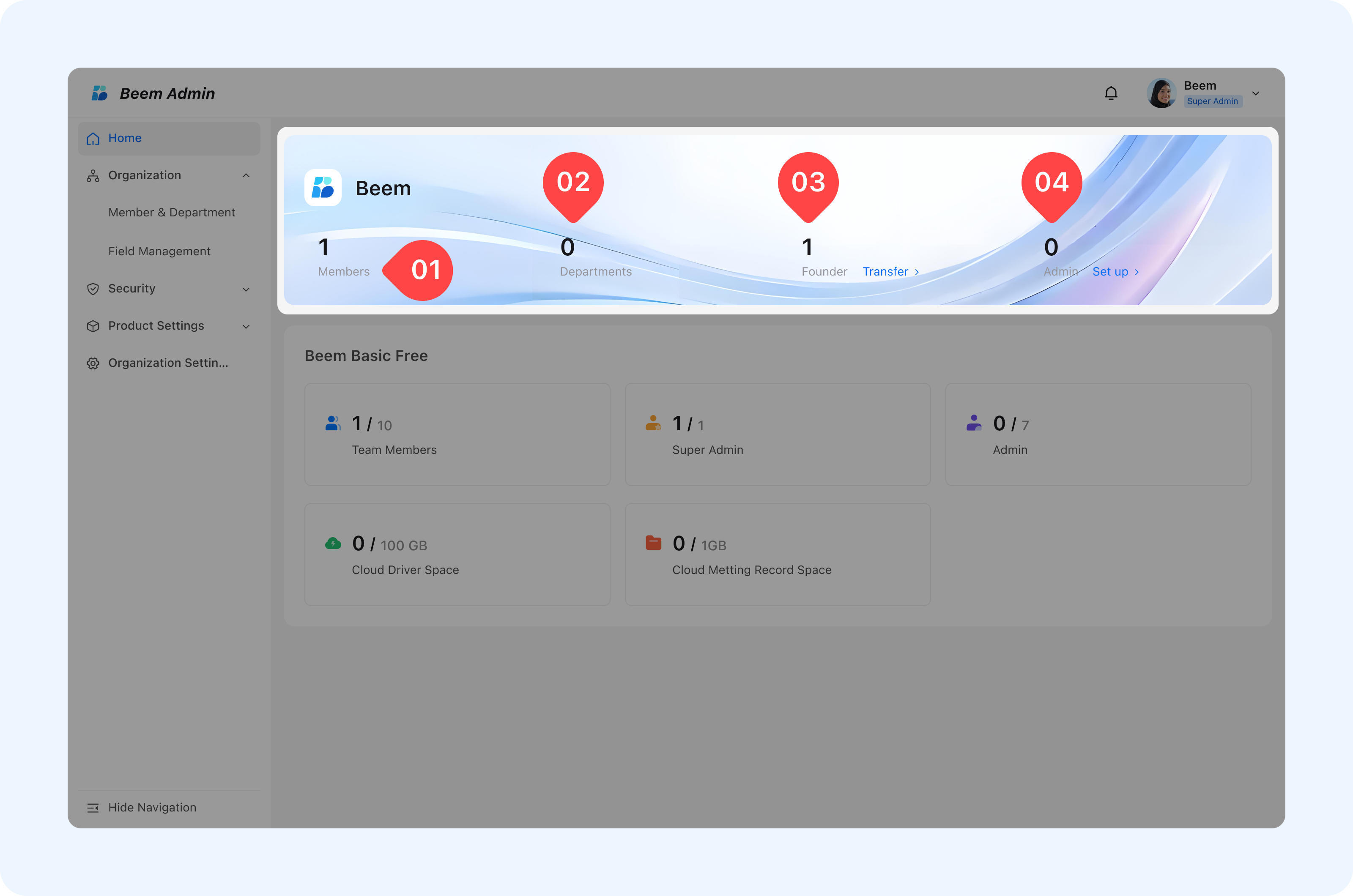
Organization Overview
To access and manage your organization’s settings, users, and permissions, you need to sign in to the Admin Suite.
- Members
- This indicator shows the total number of members currently added to the organization. It helps administrators track organizational growth and ensure that member usage remains within the allowed limits of the current plan.
- Departments
- This value represents the number of departments created within the organization.
- Departments are used to structure the organization, group members logically, and enable better access control and reporting.
- Super Admin
- The Super Admin label identifies the original creator of the organization.
- This role usually has the highest level of authority.
WARNING
Note: Super Admin cannot be removed unless organization ownership is formally transferred to another member by clicking [Transfer] and selecting the new super admin.
- Admins
- This section displays the number of assigned administrators. Administrators are responsible for managing members, departments, settings, and other administrative tasks based on their granted permissions.
WARNING
Note: Click [Setup] to assign administrators. You can select up to 7 admins at maximum.
Switch Account
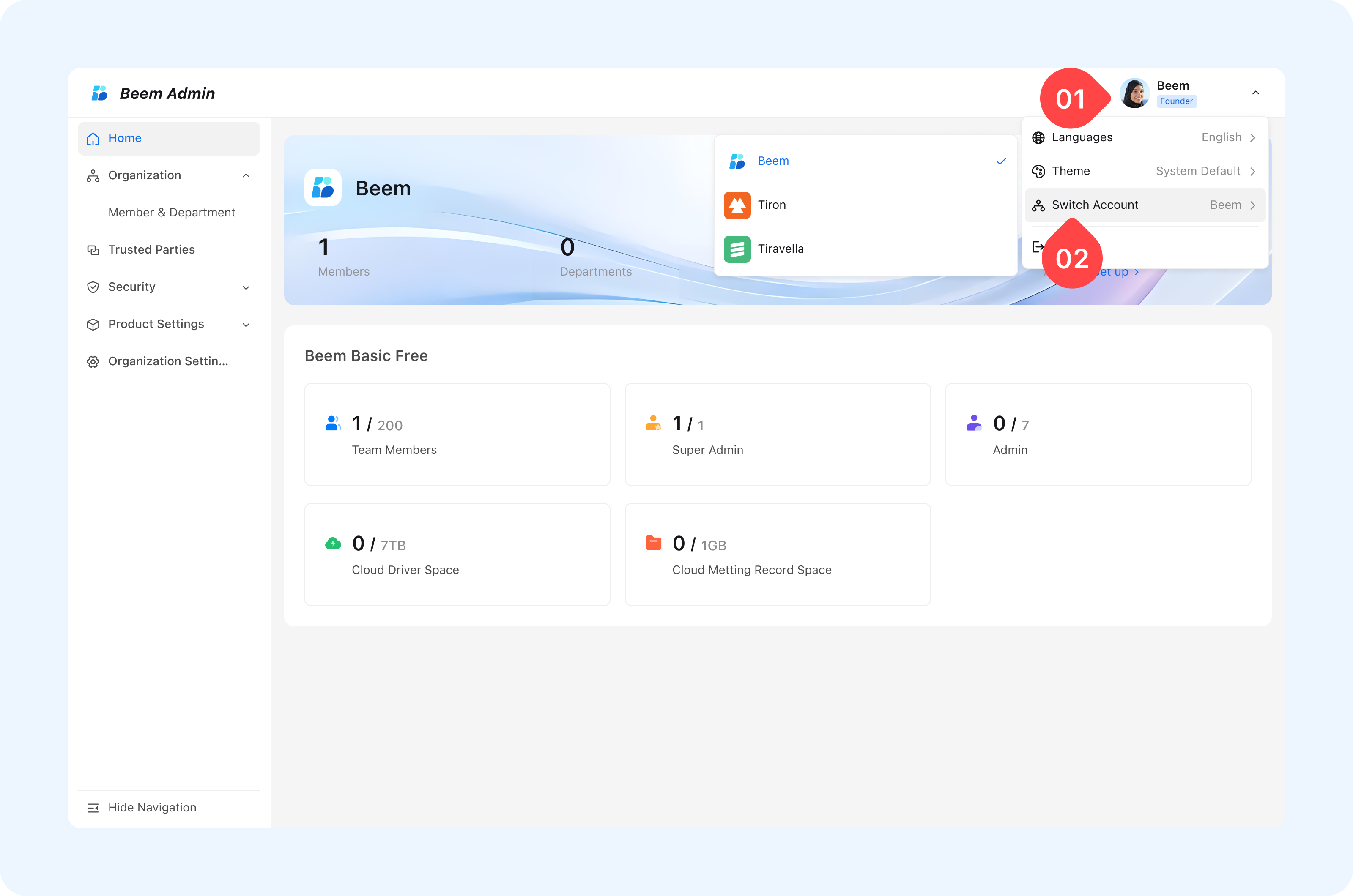
When an administrator has management permissions for multiple organizations, they can switch to another organization's Admin suite backend as follows:
click the profile picture in the upper-right corner of the Admin suite, select "Switch Account" from the pop-up menu, then choose the target organization from the list to complete the switch and access its Admin suite backend.
Plan and Resource Usage
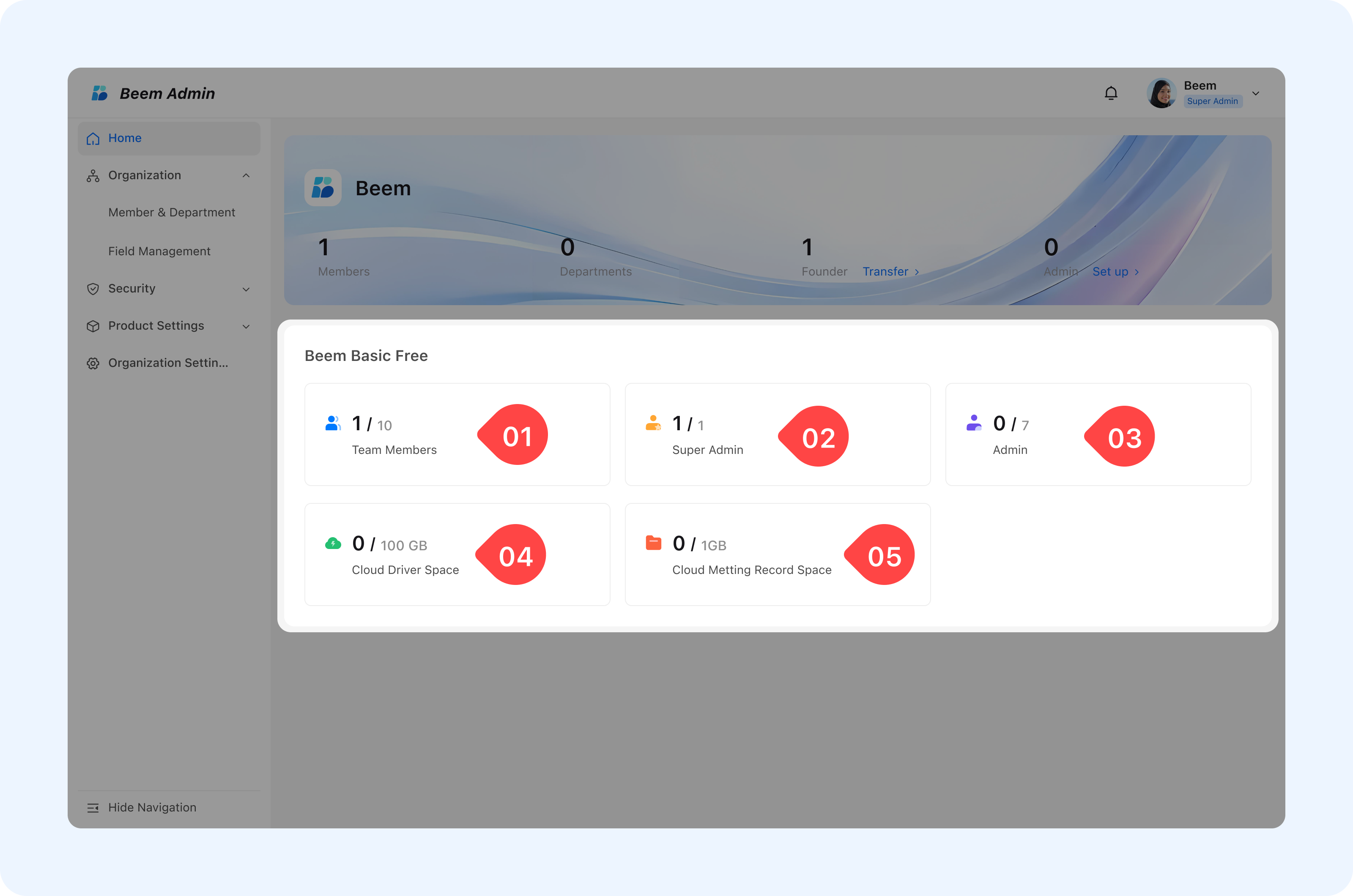
This section displays the current subscription plan and resource usage.
- Team Members
- Displays the number of active members versus the maximum allowed under the current subscription plan.
- This helps administrators monitor capacity and plan for upgrades if needed.
- Super Admin
- Shows how many Super Admins are currently assigned.
- Super Admin have extended privileges, including advanced configuration and security controls.
- Admins
- Indicates the total number of standard administrators who manage daily administrative operations.
- Cloud Driver Space
- Represents the total and used cloud storage space available for files and documents within the organization.
- Cloud Meeting Record Space
- Shows the storage capacity allocated for meeting recordings, helping administrators manage and optimize storage usage.

Navigation Menu
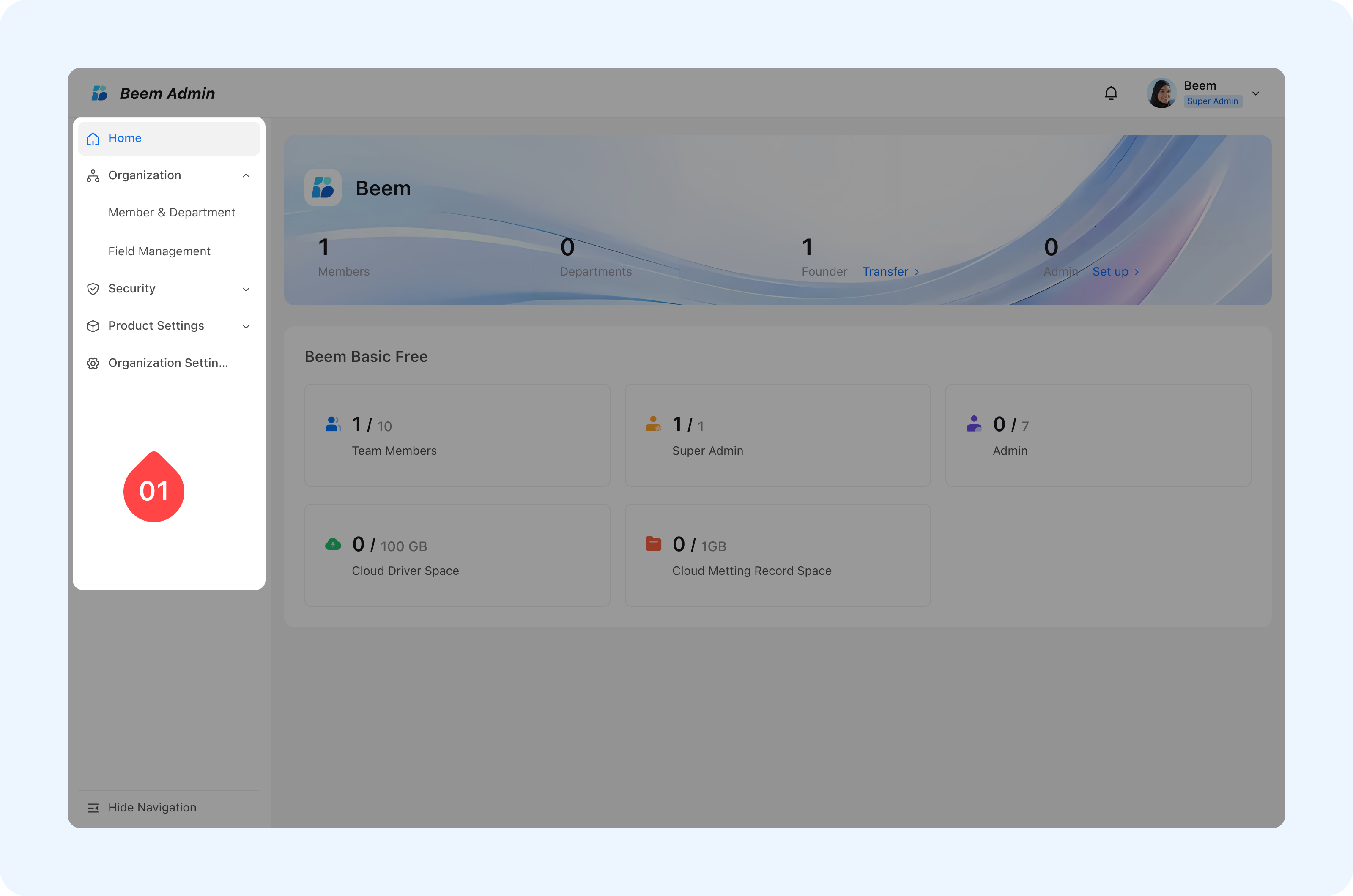
The left-side navigation menu allows administrators to access all management features, including:
- Home: Returns to the main dashboard.
- Organization: Manage members and departments.
- Field Management: Configure custom organizational fields.
- Security: Control access, permissions, and security policies.
- Product Settings: Manage product-level configurations.
- Organization Settings: Update organization profile, name, and preferences.