Skip to content

Field Management

Estimated reading time for this article: 15 minutes

Field Management enables administrators to precisely control how member information is displayed, edited, and searched across the organization, allowing organizations to balance information visibility, usability, and data privacy while keeping member profiles clear, relevant, and aligned with business needs, and this section explains how to configure field visibility, layout, permissions, privacy, and search behavior to optimize the member profile experience.

Field Visibility Settings

Field visibility settings allow administrators to decide which information appears on the member Profile page. This ensures that only relevant and necessary fields are shown.

How it works:

  1. In the Field Management, use the checkbox list in the left panel to control visibility.
  2. Check a field to display it on the Profile page.
  3. Uncheck a field to hide it from members’ profiles.

WARNING

Tip: If ID numbers are not required for daily collaboration, administrators can hide this field to simplify profile views and improve focus on key information.
undefined

Configuring Field Positions

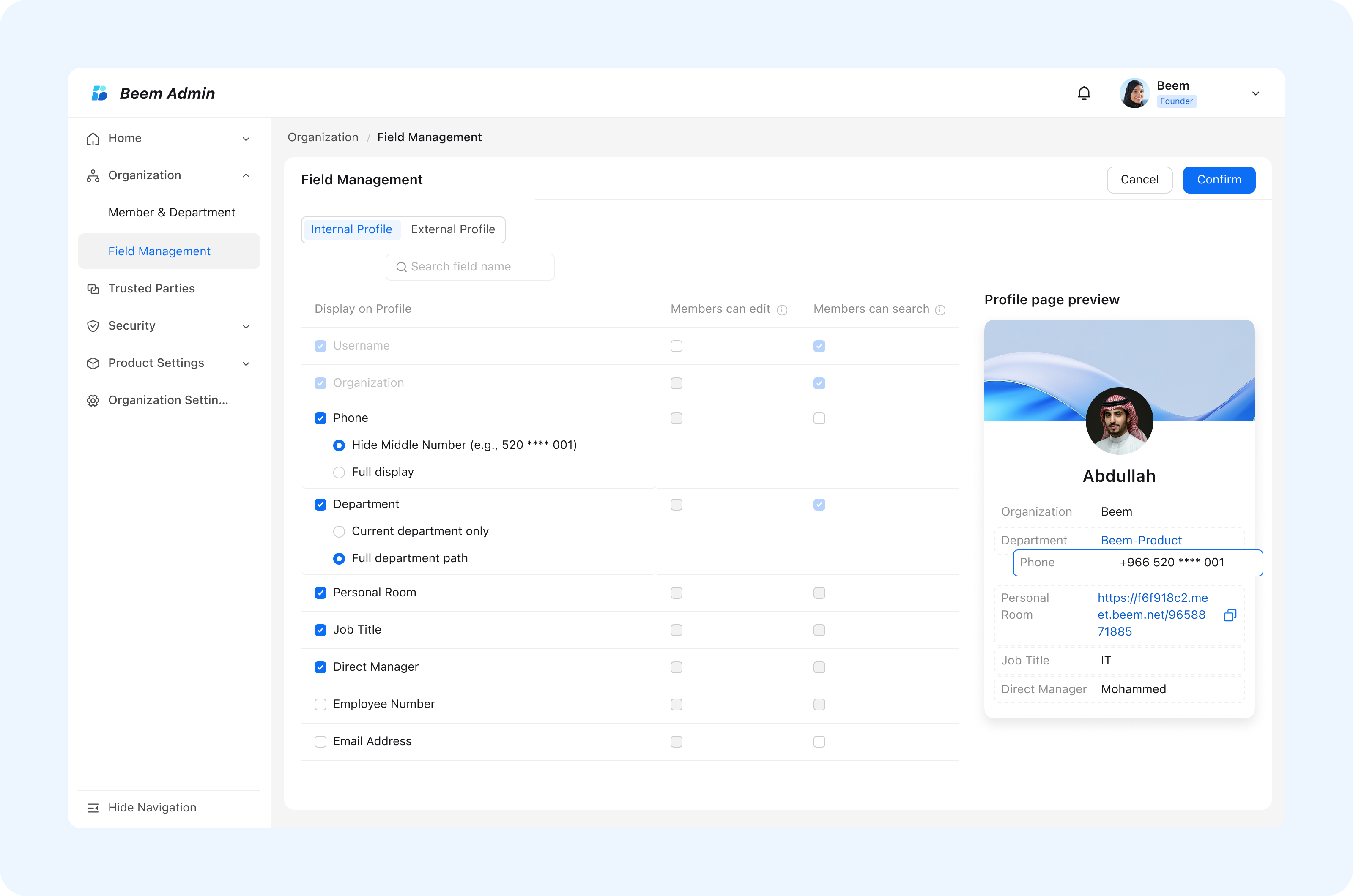
Configuring field positions allows administrators to control the visual priority of information on member business cards. This ensures that the most important data is immediately visible.

  • You can drag core and important fields to the top to ensure priority display of key information, meeting the information viewing needs in business scenarios.

WARNING

Best Practice: Place contact and role-related fields at the top to support fast identification in business scenarios.
undefined

Configuring Phone Number Desensitization

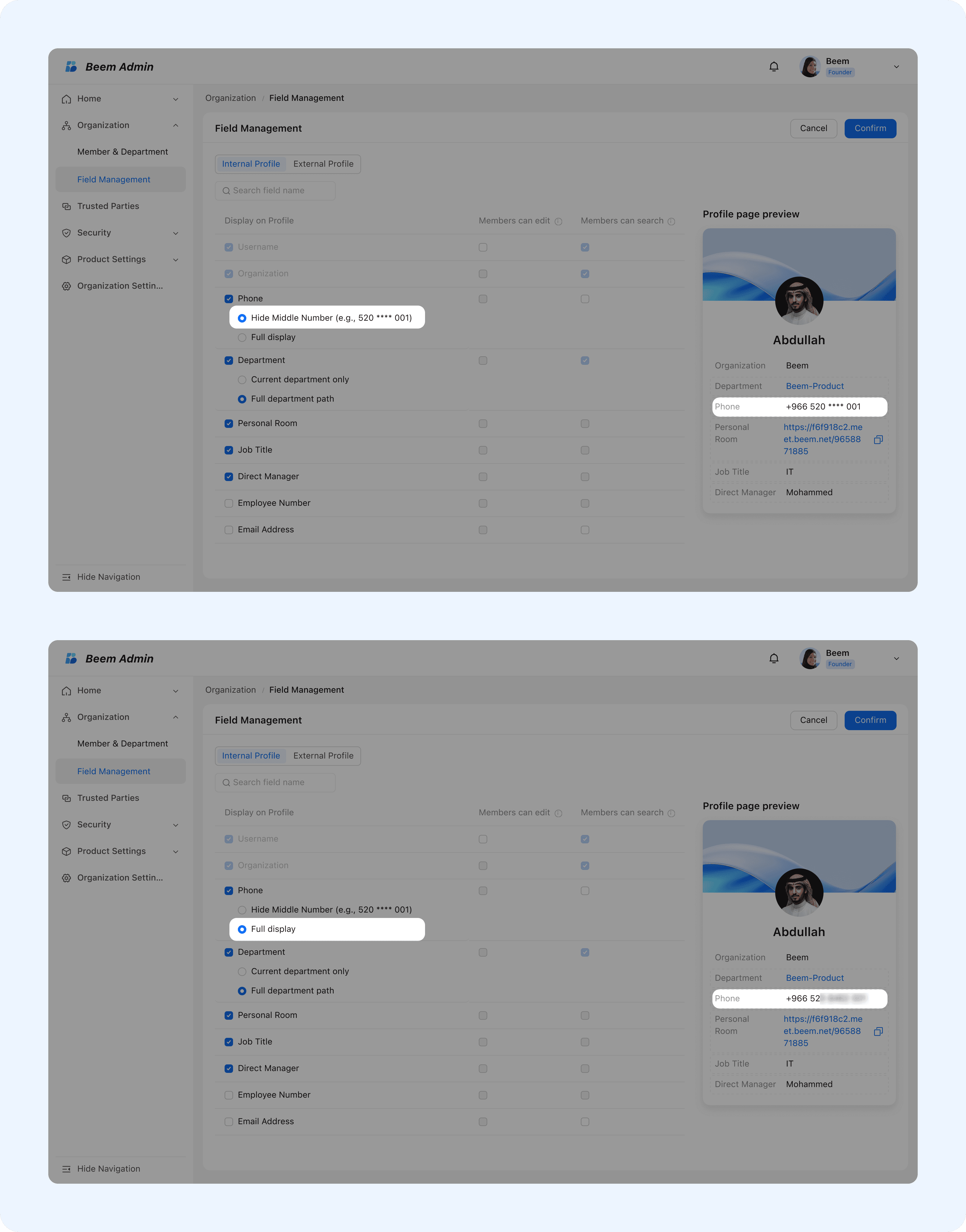
Phone number desensitization helps protect personal data while still allowing identification when needed. This feature supports flexible privacy control based on business requirements.

  • You can choose to display the phone number in a desensitized form hiding part of the digits or in full.
  • This differentiated configuration meets business usage needs while effectively protecting the privacy of members' personal sensitive data.

WARNING

Tip: For large organizations, masking phone numbers reduces privacy risks while still enabling internal identification.
undefined

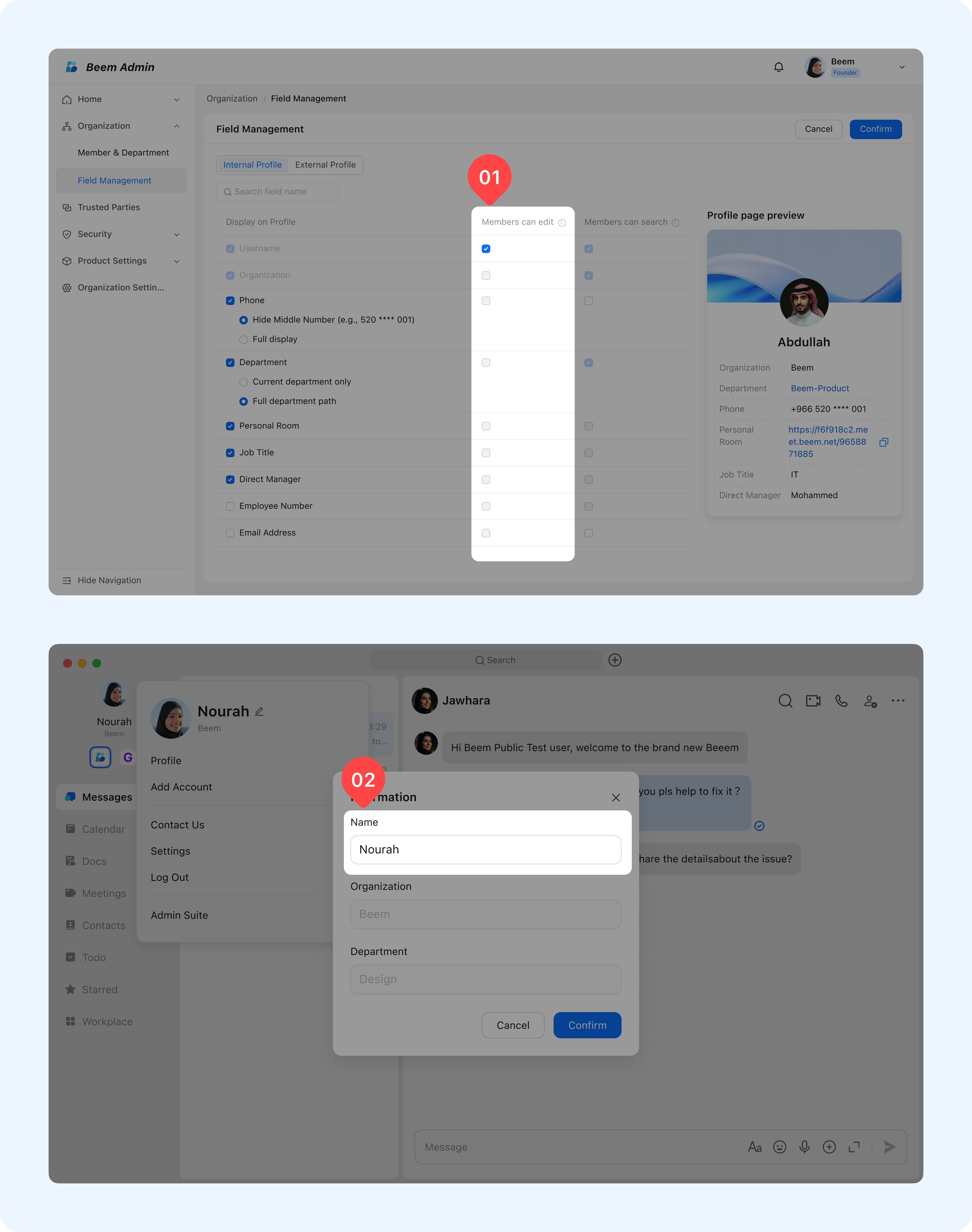
Setting Fields as Editable

This feature allows administrators to decide which profile fields members can edit themselves. It empowers members to keep their profiles up to date while maintaining administrative control over critical data.

How it works:

  • Enable edit permission for selected fields.
  • Members can update only the fields marked as editable from their own devices.

undefined

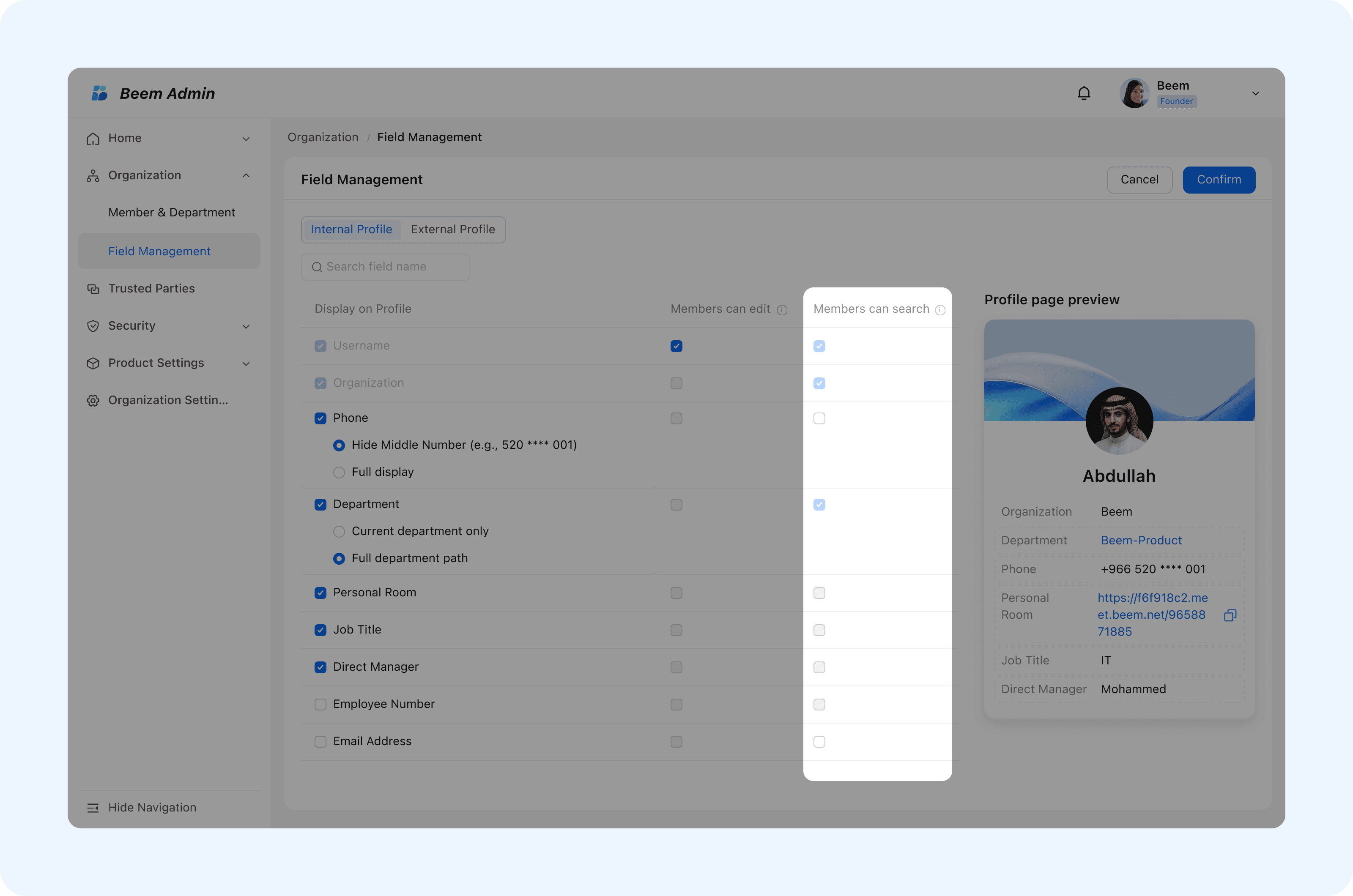
Setting Searchable Fields

Searchable fields enhance information discovery by allowing administrators and members to filter and search profiles using specific criteria.

How it works:

  • Enable the Search Criteria option for selected fields.
  • The field will become a valid filtering dimension within the organization, allowing members to quickly search for matching information through this field and improve information query efficiency.

undefined

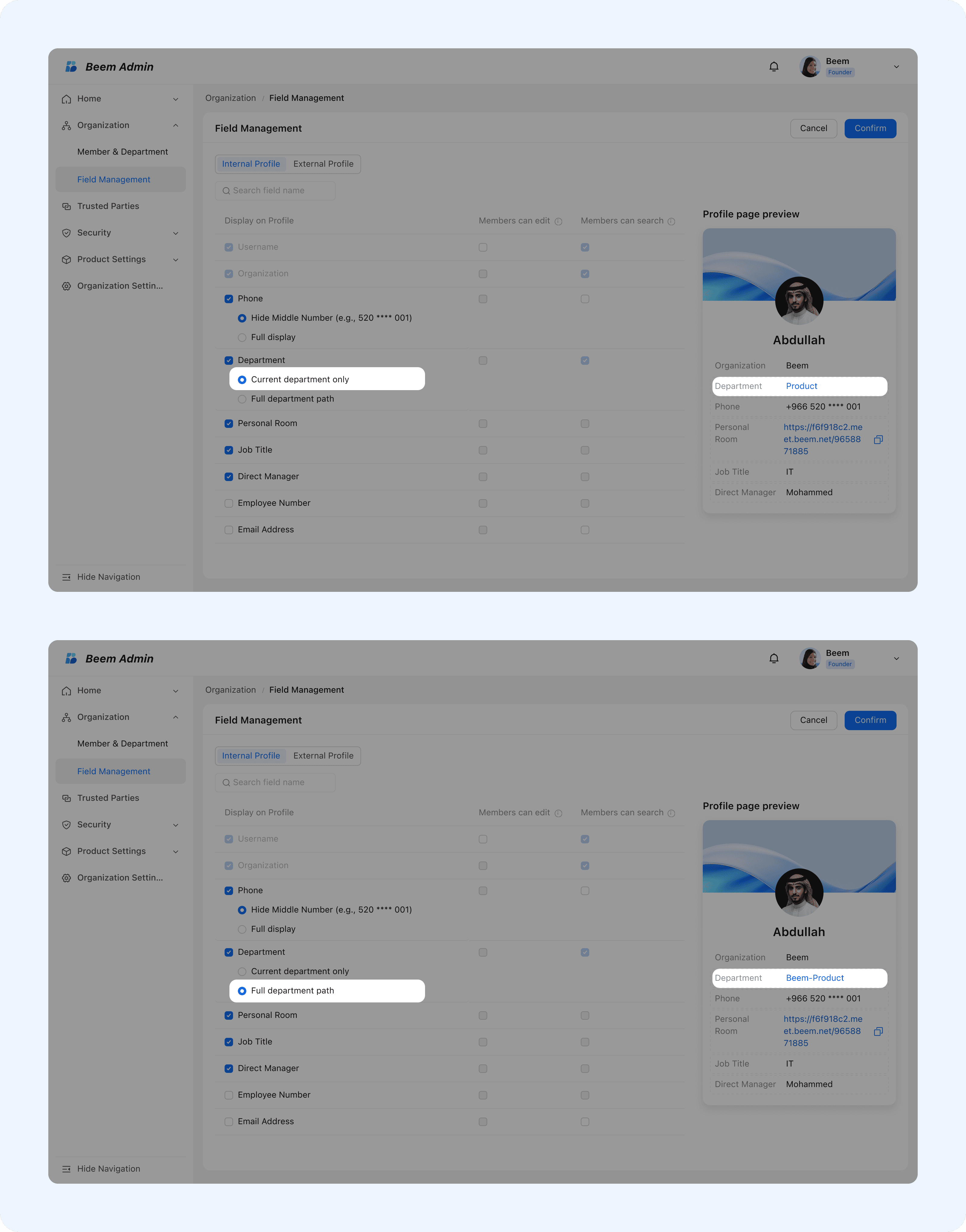
Full department path display

This feature controls how organizational hierarchy is displayed on member profiles, supporting different levels of detail based on business needs.

  • You can choose to display a member’s complete organizational structure chain or only the member’s current department, meeting the refined needs of organizational information viewing as required.

undefined

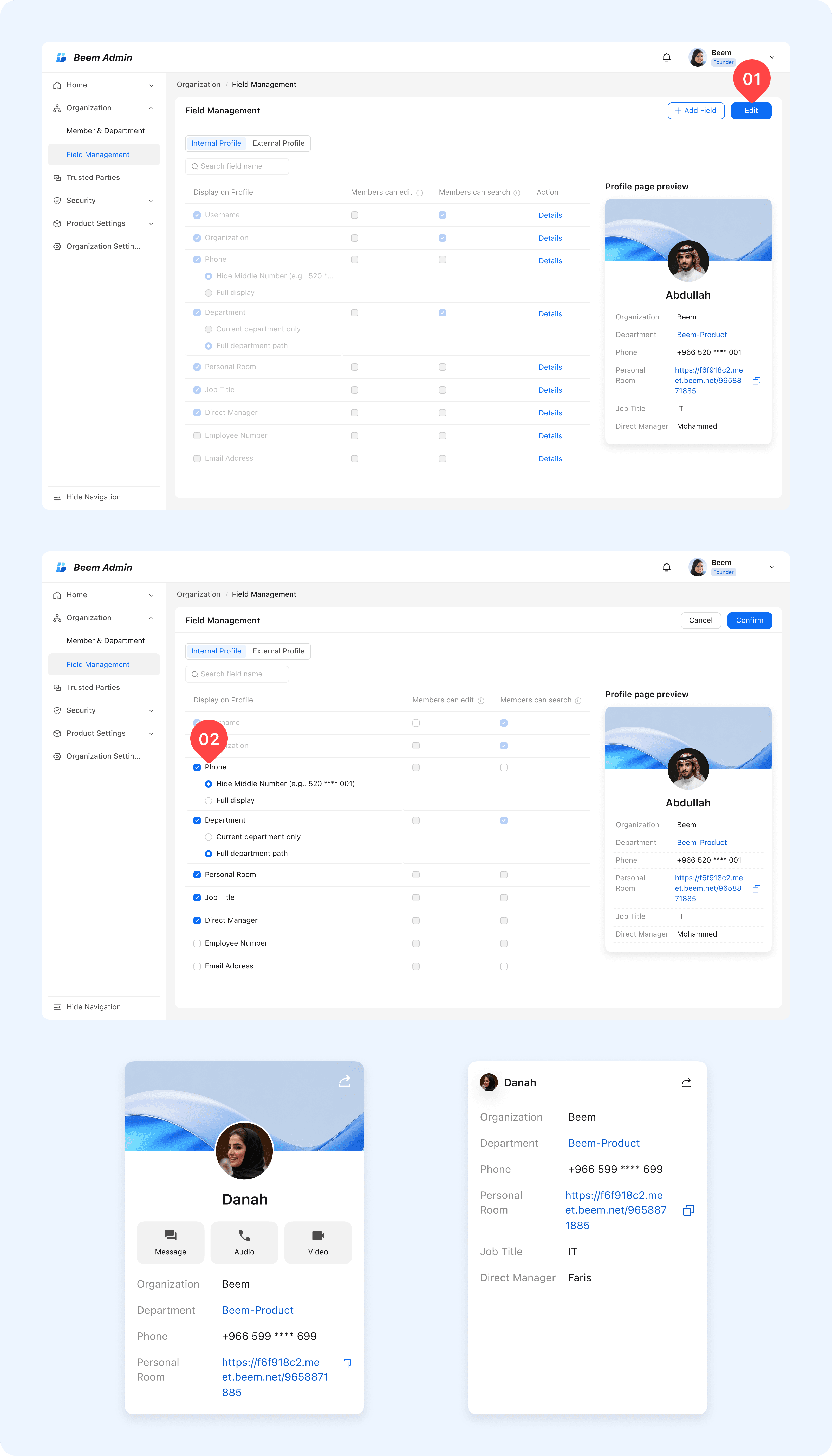
Configuring External Profile Page

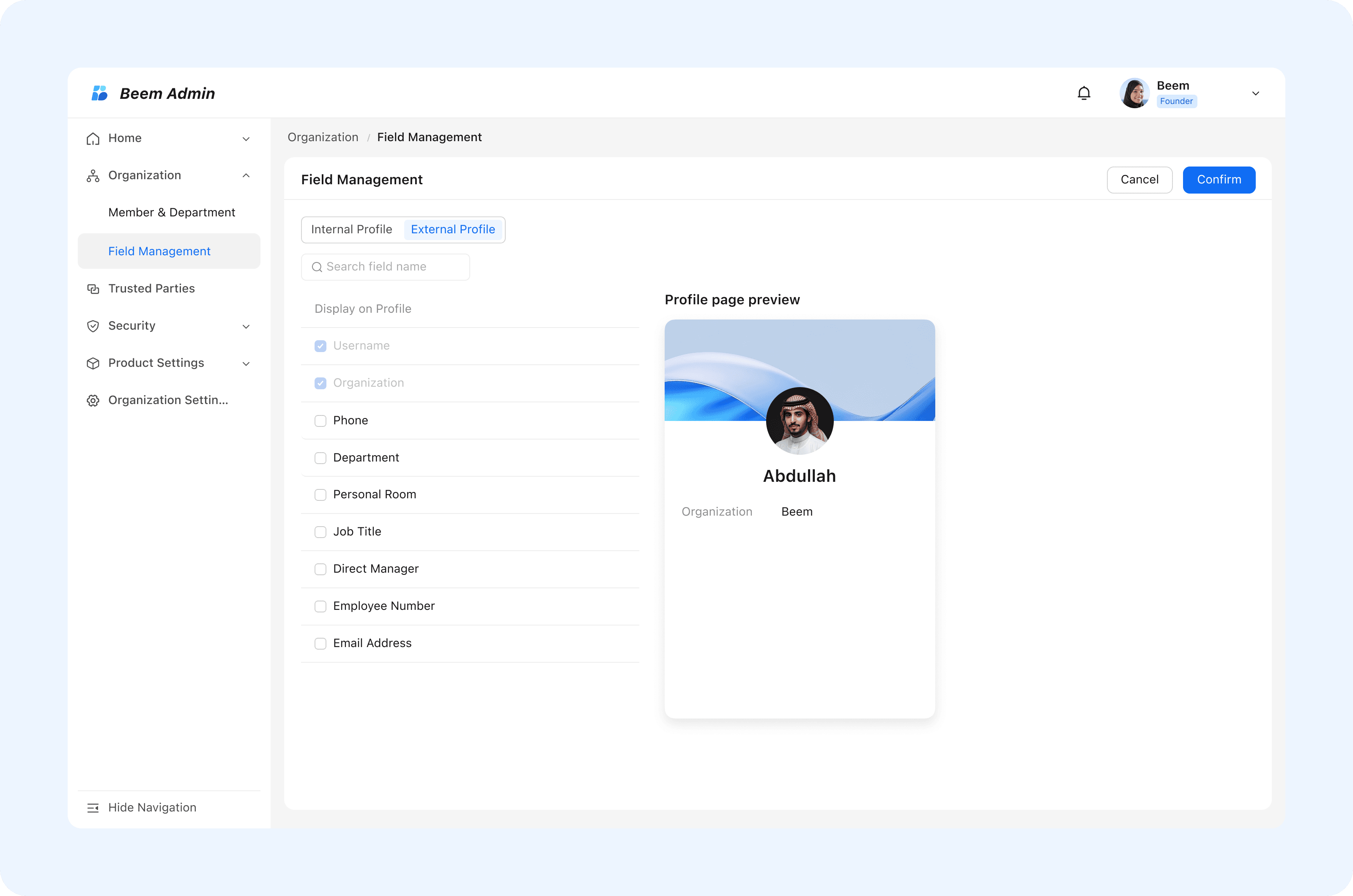
External Profile Page configuration allows organizations to customize what external contacts can view. This ensures that only appropriate information is exposed in external collaboration scenarios.

  • You can choose to display the profile page for external contacts. After configuration is completed, all types of information cards set up on this page will be visible and displayed only to external contacts, ensuring that information presentation in external scenarios meets business requirements.

WARNING

Tip: Limit external profile visibility to essential business information to protect internal data and privacy.
undefined