Skip to content

Security

Estimated reading time for this article: 10 minutes

The Security section in the Beem Admin Suite enables administrators to protect organizational data, communications, and user access through centralized controls that prevent data leakage, safeguard sensitive information, ensure compliance with security policies and regulatory requirements, and enforce consistent protection rules across all members, devices, and communication channels.

Privacy & Communications Management

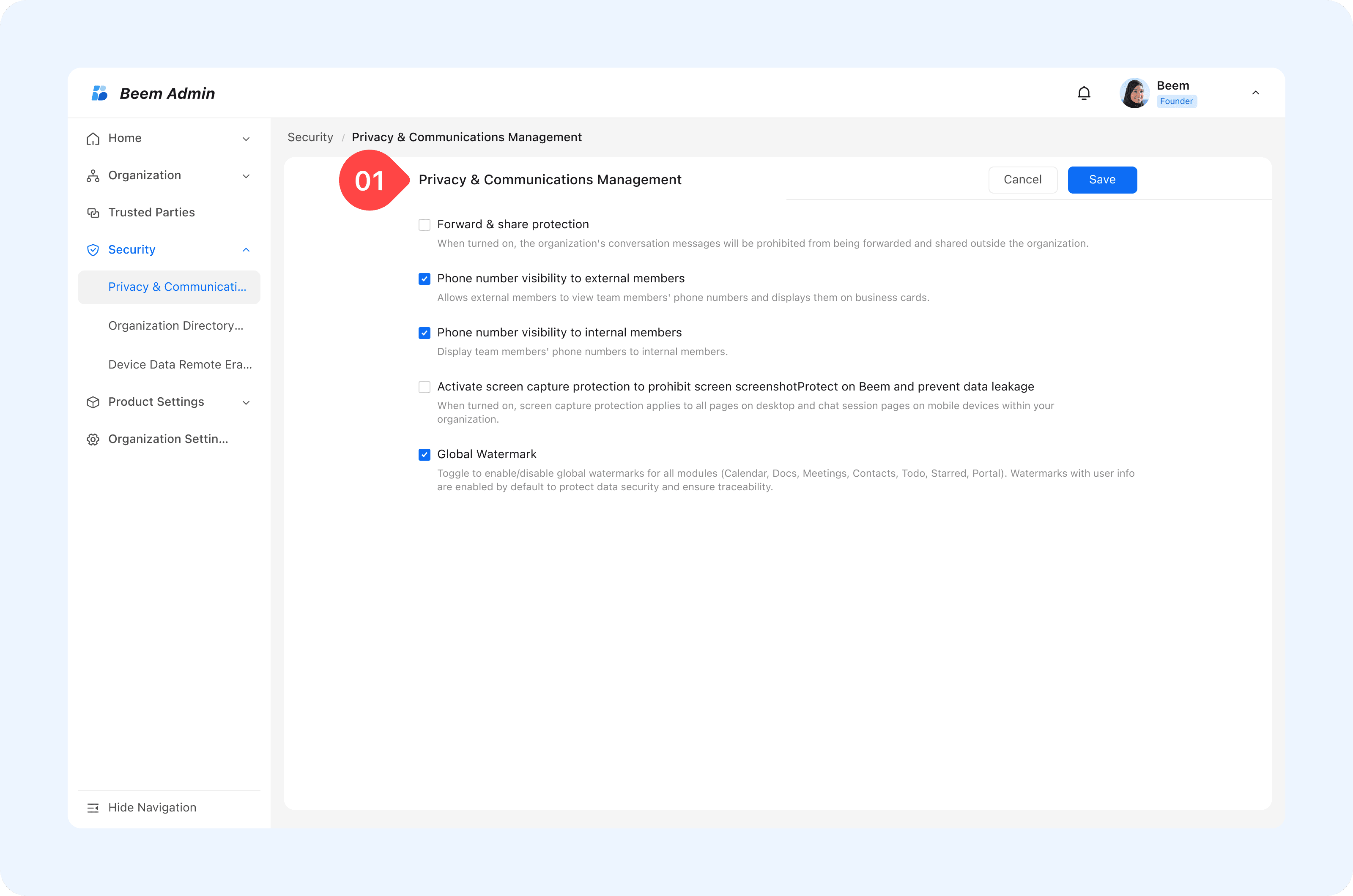
The Security and Privacy Management module enables organizations to enforce communication protection policies at a global level. By configuring centralized security controls, administrators can effectively prevent information leakage, protect sensitive data, and ensure compliance with organizational and regulatory security requirements, as detailed in the following features.

  1. Forward & Share Protection

External forwarding and sharing controls are essential to prevent the unintended circulation of internal information outside the organization.

How it works:

  • Administrators can enable or disable external forwarding for messages, images, files, and other content types.
  • When disabled, content cannot be forwarded or shared outside the organization.

WARNING

Tip: For government or regulated organizations, disabling external forwarding ensures that confidential communications remain strictly internal.

  1. Phone Number Visibility

Phone number visibility settings allow organizations to balance operational efficiency with personal data protection internally and externally .

Configuration options: Control whether internal members can view each other’s phone numbers. Restrict phone number visibility for external contacts to protect privacy.

WARNING

Best Practice: Limit phone number visibility for external users while allowing internal access only when required for operational purposes.

  1. Anti-Screenshot Function

The anti-screenshot feature prevents users from capturing screenshots on both mobile and desktop devices, reducing the risk of sensitive information being copied or leaked.

How it works:

  • When enabled, screenshot attempts are blocked across supported platforms.
  • Applies to all members using Beem applications.
  1. Global Watermark

Global watermarking adds an additional layer of protection by visually identifying content ownership and discouraging unauthorized sharing.

WARNING

Tip: In high-security environments, watermarks discourage content leaks by making shared materials traceable.
undefined

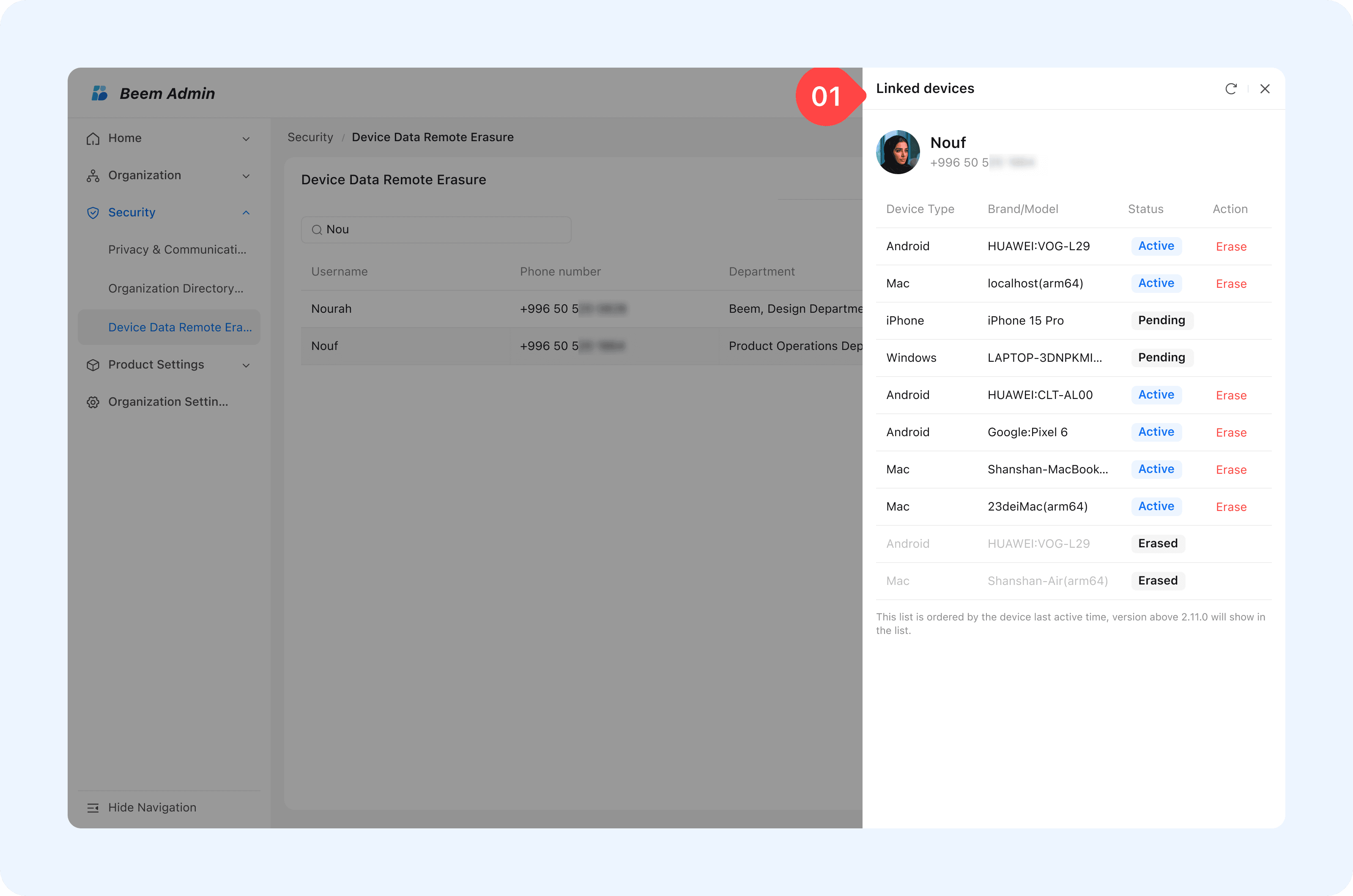
Device Data Remote Erasure

How it works:

  • To Erasure beem data from user device, search for the member name in the search box, click on linked Devices, select the desired device, and all Beem-related data on that device will be deleted immediately.
  • Erases only Beem-related data without affecting other personal data on the device.
  • Prevents data leakage while maintaining account integrity.
  • Users can resume normal usage by logging in on another device using the same account.

WARNING

Tip: If a company-issued device is lost, administrators can immediately erase Beem data to protect sensitive organizational information.
undefined